You can connect a Microsoft Fabric workspace to Git in minutes. The real test starts when multiple people need to ship changes at the same time: a pipeline update lands, a report breaks, someone switches branches, and suddenly the workspace looks different than it did five minutes ago.
This is where many teams lose time and, from a CFO perspective, burn capacity on avoidable rework. Fabric Git integration has a very specific operating model: your workspace syncs to a branch (and a folder) and switching branches can override items in the workspace. That constraint is not a problem, but your branching strategy must be designed around it.
The 3 Anti Patterns That Create Rework, Risk, and Capacity Waste
When Git workflow is misaligned with Fabric workspaces, you typically see three symptoms: broken dependencies, lost changes during branch switches, and a growing number of halves used workspaces. All three show up as delivery delays, quality issues, and higher capacity consumption.
Anti Pattern 1: One shared dev workspace connected to main
You’ve got the whole team in one dev workspace connected to the main branch. Sarah deploys her pipeline changes. Now Mike’s report breaks because it references the same Lakehouse table Sarah just modified. He pings her on Teams. She rolls back. He tests. She re-deploys. Repeat daily.
You’re basically taking turns using the workspace.
Anti Pattern 2: Casual branch switching with uncommitted work
John creates a feature branch and switches his workspace folder to it. Makes some changes, switches back to main. Wait, where did his notebook edits go? He forgot to commit first.
Or he commits fine but his pipeline breaks, turns out the Lakehouse name is still pointing to his feature branch Lakehouse that doesn’t exist anymore. He spends 30 minutes debugging configuration that should’ve been updated when he switched.
Anti Pattern 3: A new workspace for every feature
Maria creates a workspace for her dashboard feature. Tom creates one for his pipeline work. Six weeks later you’ve got 10 workspaces across 4 developers. Nobody remembers which workspace has which version. Code reviews mean switching workspaces and reconnecting everything.
Your capacity usage is at 80% and half these workspaces haven’t been touched in weeks.
Three Patterns That Work Together
Pattern 1: Shared Bronze/Silver + Branch-Specific Transformations
Share source data, branch transformations
Bronze/Silver Lakehouses stay shared: everyone works from the same source data. Transformation logic, models, and reports live in branch-specific workspace folders.
This eliminates data duplication while letting developers test independently. You’re not copying hundreds of gigabytes of Bronze data per developer. Source data is stable; transformations are what branches.
Pattern 2: One personal workspace per developer, with strict branch hygiene
Commit before every branch switch
Give each developer a personal dev workspace. Use Git branches for isolation, not extra workspaces for every idea.
Guardrails that work in practice:
- Commit before every branch switch
- Keep feature branches short, ideally a few days
- After switching, validate dependencies (pipelines, Lakehouse references, semantic model connections) before continuing
This approach protects productivity without creating workspace sprawl.
Pattern 3: Component based workspace design, with configuration managed on purpose
Parameterize everything that changes
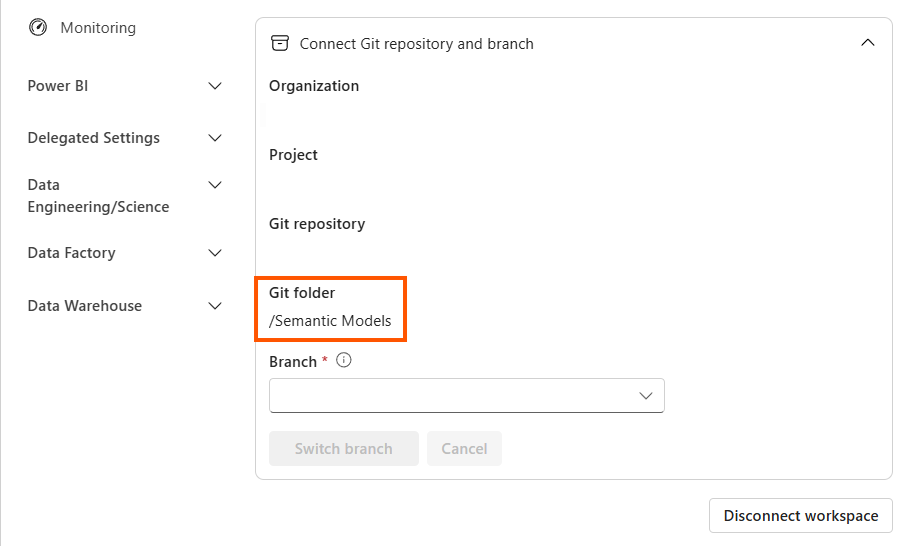
Split your repository into folders: /bronze, /silver, /gold, /transformations, /models, /reports. Each gets its own workspace. Bronze workspace only contains lakehouse and ingestion pipelines. Models workspace only contains semantic models and reports.
Create workspaces only for what you’re editing. Not touching Bronze ingestion? Don’t create a Bronze workspace. This prevents bloat while keeping related objects together.
Use Variable Library to parameterize everything that changes between branches: workspace names, Lakehouse names, connection strings. When you branch out to new workspace, update these immediately. Document which variables need updating.
How to operationalize this without slowing down delivery
The workspace-per-component pattern works particularly well with shared data. Bronze/Silver workspaces stay on main and rarely branch, they’re infrastructure. Transformation, model and report workspaces branch frequently because that’s where feature work happens.
The difference between Fabric Git strategies that work and those that fail comes down to understanding the workspace-to-folder constraint and designing around it intentionally. You can’t branch like it’s a traditional codebase. But you can branch effectively once you align your workspace architecture with how your team works.
When your workspace design, branching rules, and configuration discipline line up, Fabric Git becomes a delivery accelerator instead of a daily firefight.