Introduction
In my previous article, I compared the performance of Microsoft Fabric’s dataflow options. The results showed that Dataflow Gen2 delivered the fastest refresh times, while its CI/CD compliant counterpart achieved comparable performance with lower capacity consumption.
Microsoft Fabric has now introduced partitioned compute, a preview capability for Dataflow Gen2 with CI/CD that can further improve performance by running parts of the dataflow logic in parallel.
What Is Partitioned Compute in Dataflow Gen2 (Microsoft Fabric)?
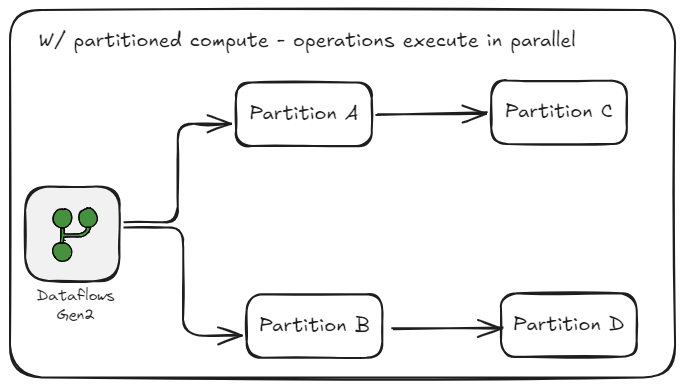
Partitioned compute lets you run your dataflow’s logic in parallel instead of processing every file in one batch. Each file will be processed and then the results will be combined.
For this to work, there needs to be a way to group and identify each partition, that’s where the partition keys come in. Partition keys work as a label, identifying that this row belongs to partition A, that one to partition B and so on. This method of tagging is how the work gets split up.
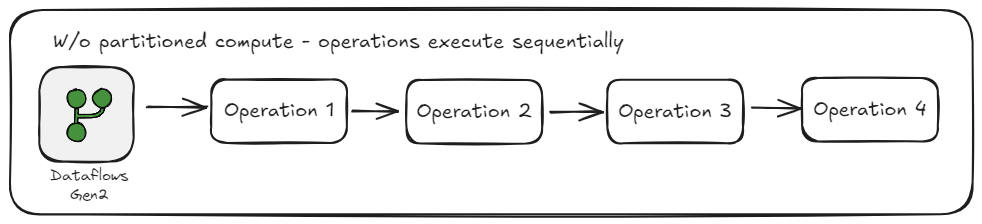
Batch processing with dataflows
Partitioned compute with dataflows
Why Parallelization Matters in Data Processing
The problem with sequential execution on large datasets
When data transformations are executed sequentially, each step must wait for the previous one to finish. On large datasets, this quickly compounds especially when multiple heavy operations are involved. This ultimately leads to significantly longer refresh times and slower overall performance.
Imagine a busy kitchen during the lunch rush. Things would move a lot slower if only one chef could cook at a time. Each meal would need to be prepared, cooked, and plated before starting on the next one. Even the best chef in the world will struggle because it is not an issue of skill but of scale.
How Partitioned Compute improves scalability and speed by processing multiple partitions in parallel
In the previous section, we covered how operations can be processed and executed simultaneously with partitioned compute. This parallelization reduces how long it takes to evaluate your Power Query steps ultimately resulting in:
- Faster transformation and refresh times
- Better utilization of Fabric capacity resources
- Scalability for enterprise-scale data workloads.
Now imagine that same busy kitchen, but this time the chef is preparing the main course, the sous chef is making the sauce, and the prep cook is chopping vegetables all at the same time. Each task happens in parallel, and together they bring the meal to the table faster and more efficiently.
Setting Up Partitioned Compute
Enabling partitioned compute only takes a few clicks.
Start by opening you Dataflow and selecting ‘Options’
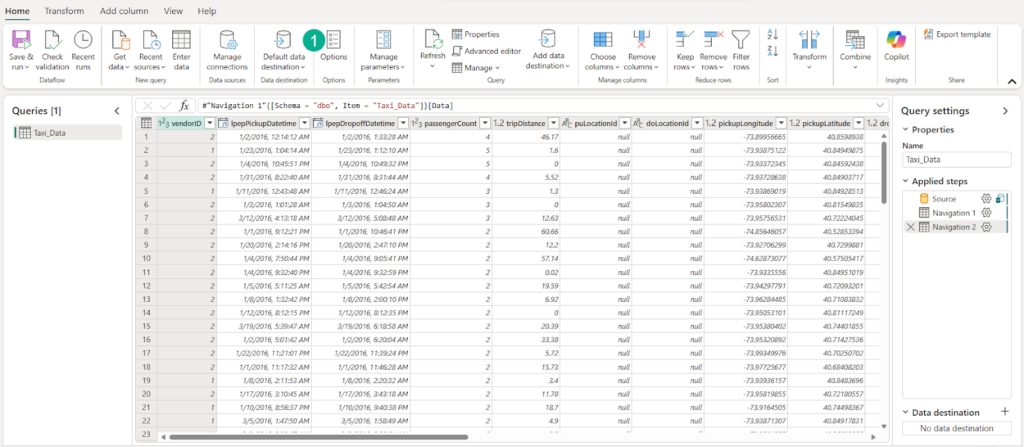
From the options menu, navigate to Dataflow > Scale > enable the partitioned compute feature > click OK
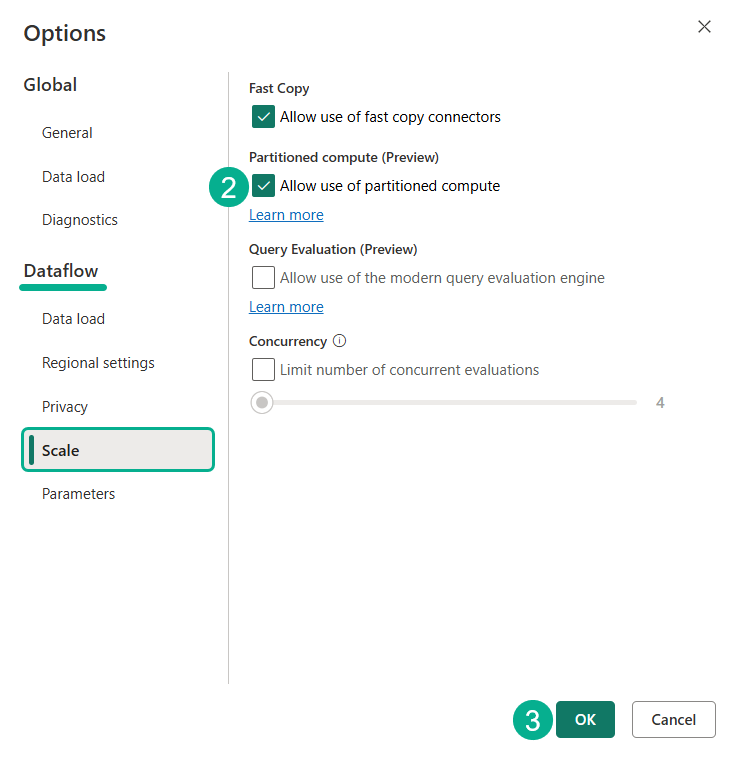
At the time of writing, partitioned compute is an in-preview feature and only available for Dataflow Gen2 CI/CD.
Performance Test
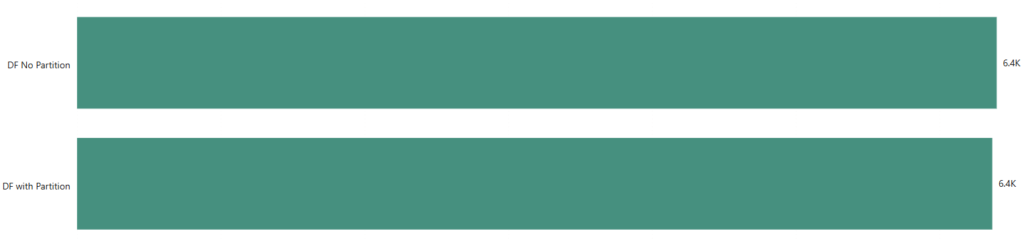
Now let’s look at the refresh time with partitioned compute enabled. For this test, I used the same NYC taxi dataset, which contains 23 columns and roughly 30 million rows. The dataflow includes several Power Query steps such as applied logic, merges, and general data cleanup.

In this run, Partitioned Compute finished about 37 seconds faster, giving us an improvement of around 8.5 percent compared to the non-partitioned version. Since the refresh duration is nearly the same between the two, the consumption units required for each dataflow also remain very similar.
Closing Thoughts
Partitioned compute is a meaningful step forward in how Dataflow Gen2 handles large workloads in Microsoft Fabric. While the improvement in this test was modest, the value of the feature is evident when you think about how scaling behaves in real environments. Larger datasets, more complex transformations, and heavily partitioned file structures stand to benefit the most from parallel execution.
With the option to process partitions in parallel, Fabric gives data teams a more efficient and scalable way to run their pipelines. This capability works behind the scenes, which means teams can often benefit without redesigning their logic from scratch
As this feature matures, it will likely open the door to even stronger performance gains and smoother experiences for users managing enterprise data workloads.
For finance leaders, the goal is simple: faster, more reliable refresh cycles that keep reporting on time without forcing a capacity upgrade.